

From the contributor
How to use this sample
Summary
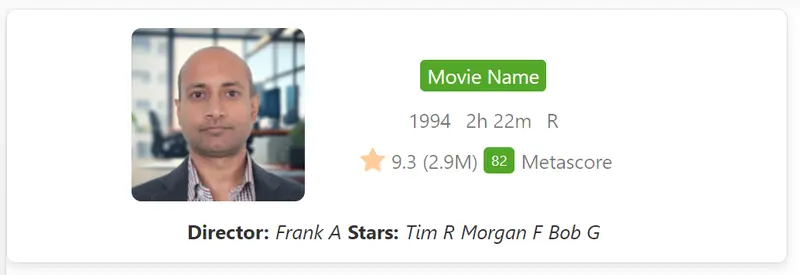
This sample transforms list items into cards formatted with IMDb (Internet Movie Database) Movie listing layout. To ensure the view functions correctly, make sure all specified columns are included. The icons are referenced from Fluent UI Icons.
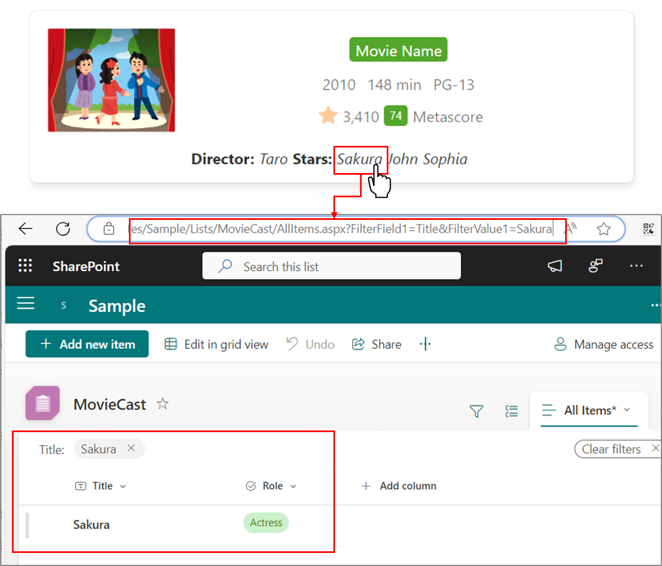
The Director and Actor names are hyperlinks so that you can leverage them to filter other movies where they might have featured. If you set the href as follows, the link to the filtered view will be displayed:
"href": "=@currentWeb+'/Lists/<<ListName>>'+'/'+'<<ViewName>>.aspx?FilterField1=<<InternalNameOfColumn>>&FilterValue1='+[$<<InternalNameOfColumnToBeUsedForFilter>>]"
For example:
"href": "=@currentWeb+'/Lists/MovieCast'+'/'+'AllItems.aspx?FilterField1=Title&FilterValue1='+[$Actor1]"
You can achieve that by using query strings as described in this blog.
View requirements
| Column Name | Type |
|---|---|
| Title | Single line of text |
| Year | Single line of text |
| Duration | Single line of text |
| Rating | Choice (PG,R,A) |
| VoteCount | Number |
| Metascore | Number |
| Director | Single line of text |
| Actor1 | Single line of text |
| Actor2 | Single line of text |
| Actor3 | Single line of text |
| MovieImage | Hyperlink or Picture |
Sample
| Solution | Author(s) |
|---|---|
| imdb-card.json | Sudeep Ghatak |
Version history
| Version | Date | Comments |
|---|---|---|
| 1.0 | July 22, 2024 | Initial release |
Disclaimer
THIS CODE IS PROVIDED AS IS WITHOUT WARRANTY OF ANY KIND, EITHER EXPRESS OR IMPLIED, INCLUDING ANY IMPLIED WARRANTIES OF FITNESS FOR A PARTICULAR PURPOSE, MERCHANTABILITY, OR NON-INFRINGEMENT.
Additional notes
Query string is also described in the following document: