Back to view formats
View formattingSharePoint Online

Percent Chart format

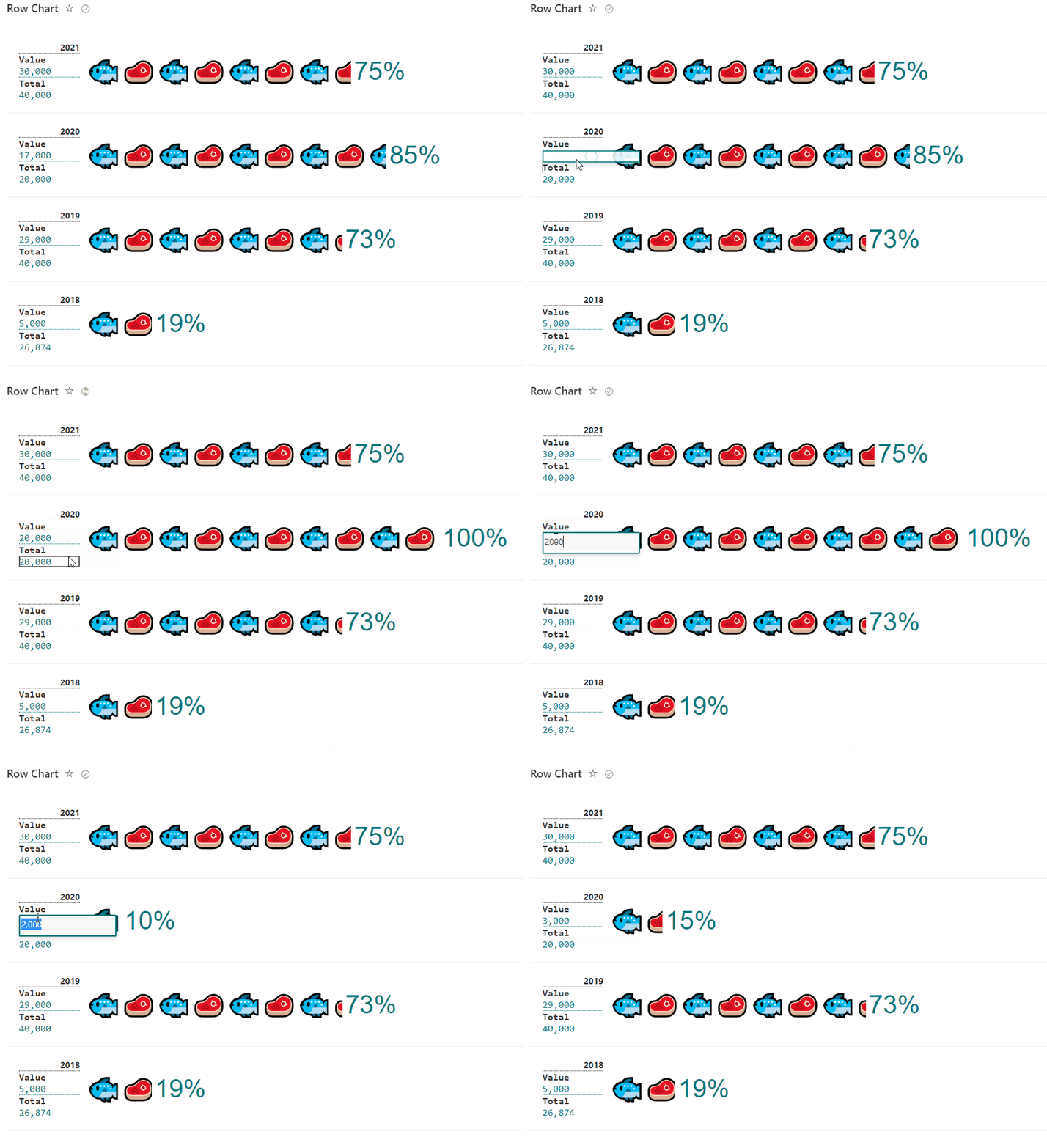
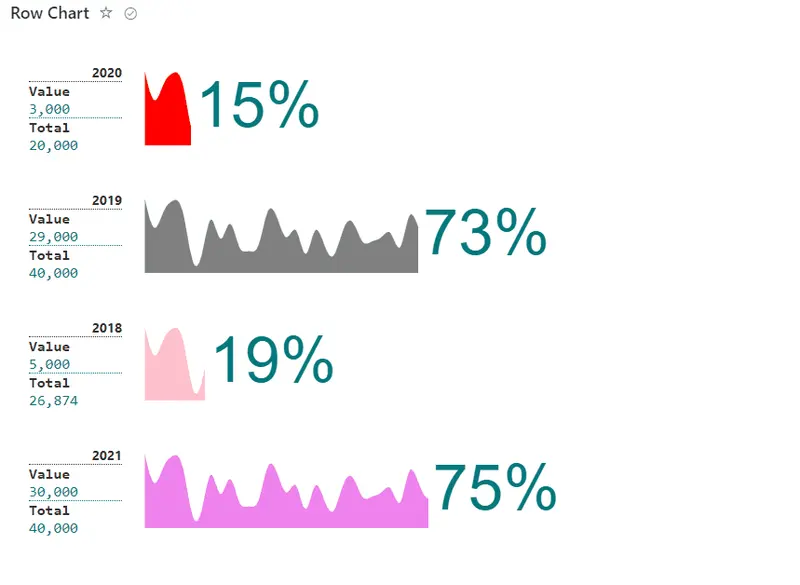
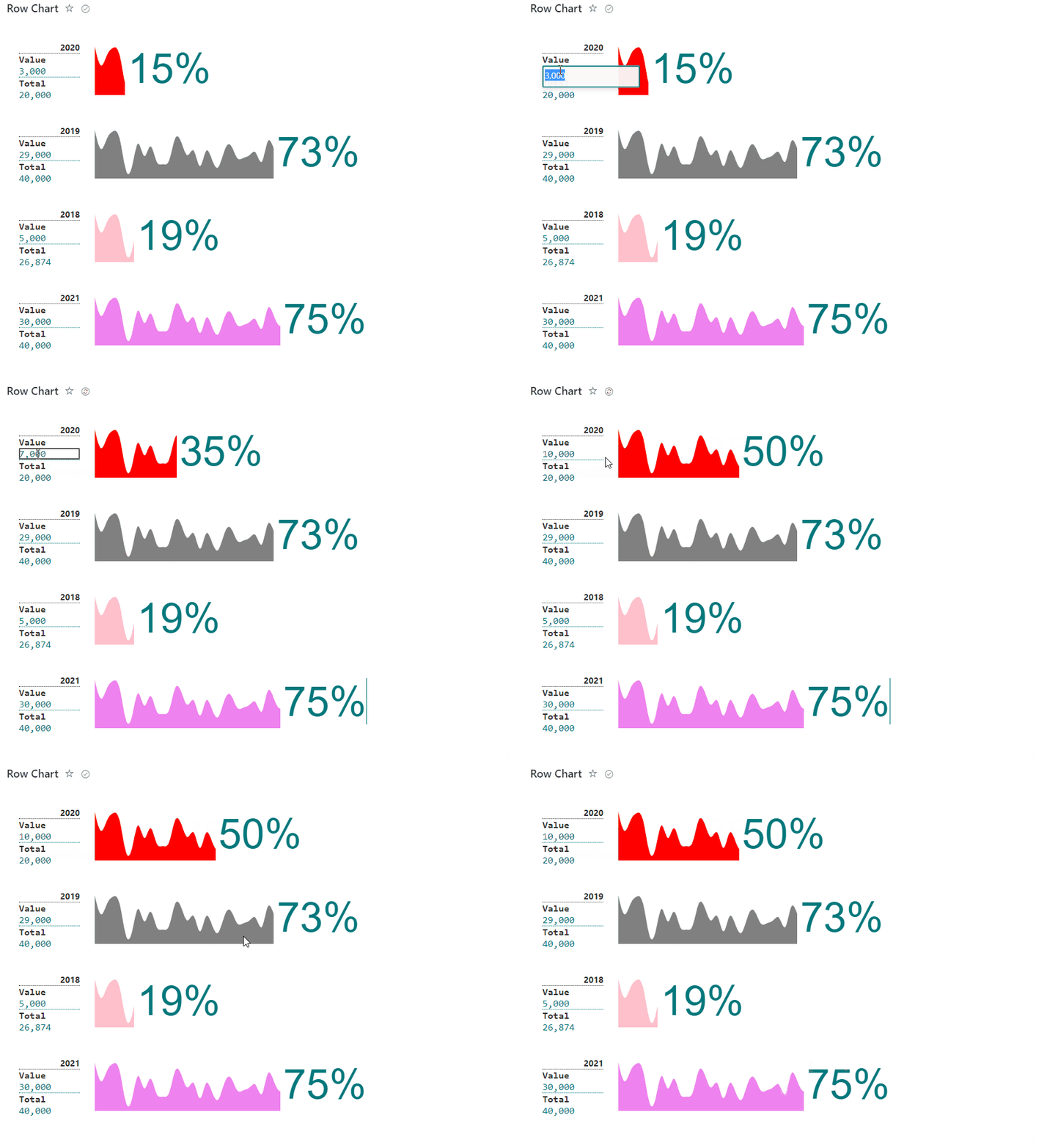
This sample display formatted percent chart row based on icon/emoji/svg and associated result number, used is able to manage to total and used items for percent calculation.

Percent Chart format
Sample preview · View original animation

Copy. Apply. Make it yours.

Get this format

3 definitions

Review the requirements below, then paste this JSON into the matching formatting panel. Show me where.

Use your list's internal column names and replace any tenant-specific URLs or flow IDs. Formatting is presentation, not a way to secure data.

View formatting
Download JSON
{
  "$schema": "https://developer.microsoft.com/json-schemas/sp/v2/row-formatting.schema.json",
  "hideSelection": true,
  "hideColumnHeader": true,
  "rowFormatter": {
    "elmType": "div",
    "children": [
      {
        "elmType": "div",
        "style": {
          "display": "flex",
          "padding": "20px",
          "border-bottom": "1px solid #eee",
          "width": "100%"
        },
        "children": [
          {
            "elmType": "div",
            "style": {
              "padding-right": "10px",
              "width": "100px"
            },
            "children": [
              {
                "elmType": "div",
                "style": {
                  "text-align": "end",
                  "border-bottom": "1px dotted"
                },
                "attributes": {
                  "class": "ms-fontSize-14 ms-fontWeight-bold"
                },
                "txtContent": "='Car Sales '+[$Year]"
              },
              {
                "elmType": "div",
                "style": {
                  "font-family": "monospace"
                },
                "attributes": {
                  "class": "ms-fontSize-16 ms-fontWeight-bold"
                },
                "txtContent": "[!Total.DisplayName]"
              },
              {
                "elmType": "div",
                "style": {
                  "font-family": "monospace"
                },
                "attributes": {
                  "class": "ms-fontSize-16 ms-fontColor-themePrimary"
                },
                "inlineEditField": "[$Total]",
                "txtContent": "=[$Total.displayValue]"
              }
            ]
          },
          {
            "elmType": "div",
            "children": [
              {
                "elmType": "div",
                "style": {
                  "position": "relative",
                  "width": "=toString(((830*[$Value])/[$Total]))+ 'px'"
                },
                "children": [
                  {
                    "elmType": "div",
                    "attributes": {
                      "class": "ms-fontColor-neutralTertiary"
                    },
                    "style": {
                      "display": "flex",
                      "color": "=if(ceiling(((100*[$Value])/[$Total])) < 25, '#FF5733', if(ceiling(((100*[$Value])/[$Total])) < 75 && ceiling(((100*[$Value])/[$Total])) > 24, '#C19A6B', '#4BB543'))",
                      "stroke": "none",
                      "overflow": "hidden"
                    },
                    "children": [
                      {
                        "elmType": "div",
                        "style": {
                          "padding": "20px 5px 10px 10px"
                        },
                        "attributes": {
                          "class": "ms-fontSize-68",
                          "iconName": "Car"
                        }
                      },
                      {
                        "elmType": "div",
                        "style": {
                          "padding": "20px 5px 10px 10px"
                        },
                        "attributes": {
                          "class": "ms-fontSize-68",
                          "iconName": "Car"
                        }
                      },
                      {
                        "elmType": "div",
                        "style": {
                          "padding": "20px 5px 10px 10px"
                        },
                        "attributes": {
                          "class": "ms-fontSize-68",
                          "iconName": "Car"
                        }
                      },
                      {
                        "elmType": "div",
                        "style": {
                          "padding": "20px 5px 10px 10px"
                        },
                        "attributes": {
                          "class": "ms-fontSize-68",
                          "iconName": "Car"
                        }
                      },
                      {
                        "elmType": "div",
                        "style": {
                          "padding": "20px 5px 10px 10px"
                        },
                        "attributes": {
                          "class": "ms-fontSize-68",
                          "iconName": "Car"
                        }
                      },
                      {
                        "elmType": "div",
                        "style": {
                          "padding": "20px 5px 10px 10px"
                        },
                        "attributes": {
                          "class": "ms-fontSize-68",
                          "iconName": "Car"
                        }
                      },
                      {
                        "elmType": "div",
                        "style": {
                          "padding": "20px 5px 10px 10px"
                        },
                        "attributes": {
                          "class": "ms-fontSize-68",
                          "iconName": "Car"
                        }
                      },
                      {
                        "elmType": "div",
                        "style": {
                          "padding": "20px 5px 10px 10px"
                        },
                        "attributes": {
                          "class": "ms-fontSize-68",
                          "iconName": "Car"
                        }
                      },
                      {
                        "elmType": "div",
                        "style": {
                          "padding": "20px 5px 10px 10px"
                        },
                        "attributes": {
                          "class": "ms-fontSize-68",
                          "iconName": "Car"
                        }
                      },
                      {
                        "elmType": "div",
                        "style": {
                          "padding": "20px 5px 10px 10px"
                        },
                        "attributes": {
                          "class": "ms-fontSize-68",
                          "iconName": "Car"
                        }
                      }
                    ]
                  },
                  {
                    "elmType": "div",
                    "style": {
                      "padding": "20px 5px 10px 10px",
                      "color": "#0000",
                      "width": "=toString(830-((830*[$Value])/[$Total])) + 'px'",
                      "min-width": "350px",
                      "height": "88px",
                      "float": "left",
                      "position": "absolute",
                      "top": "0",
                      "display": "flex",
                      "left": "=if([$Value]>[$Total],'830',toString(((830*[$Value])/[$Total]))) + 'px'"
                    },
                    "children": [
                      {
                        "elmType": "div",
                        "style": {
                          "font-family": "sans-serif",
                          "padding": "5px"
                        },
                        "txtContent": "=toString(ceiling(((100*[$Value])/[$Total])))+'%'",
                        "attributes": {
                          "class": "ms-fontSize-68 ms-fontColor-themePrimary"
                        }
                      },
                      {
                        "elmType": "div",
                        "style": {
                          "margin": "20px 0"
                        },
                        "attributes": {
                          "class": "ms-fontSize-32 ms-fontColor-themePrimary"
                        },
                        "inlineEditField": "[$Value]",
                        "txtContent": "='Sold ' +[$Value.displayValue]"
                      }
                    ]
                  }
                ]
              }
            ]
          }
        ]
      }
    ]
  }
}

From the contributor

How to use this sample

Summary

This sample display formatted percent chart row based on icon/emoji/svg and associated result number, used is able to manage to total and used items for percent calculation.

Icons format

Percent chart format

Emojis format

Percent chart format

SVG format

screenshot of the sample

View requirements

  • The format expect the following fields:
Field Type
Title Single line of text.
Total Number - Total amount to calculate percentage (100%)
Value Number - How many were used from Total amount used in Percentage calculator.
Year Single line of text - Date.
Color Single line of text - Color for svg.

Edit List View requirements

  • Access to List Settings > access to "Views" area and select created view.
  • Edit View where format will be included:
    • Access to "Sort" Area and select column "Year" and check as descending order, this option order the cards based on changed.

Sample

Solution Author(s)
percent-chart-format.json André Lage
carsales-format.json André Lage
fishmeat-format.json André Lage

Version history

Version Date Comments
1.0 April 22, 2022 Initial release

Disclaimer

THIS CODE IS PROVIDED AS IS WITHOUT WARRANTY OF ANY KIND, EITHER EXPRESS OR IMPLIED, INCLUDING ANY IMPLIED WARRANTIES OF FITNESS FOR A PARTICULAR PURPOSE, MERCHANTABILITY, OR NON-INFRINGEMENT.