From the contributor
How to use this sample
Summary
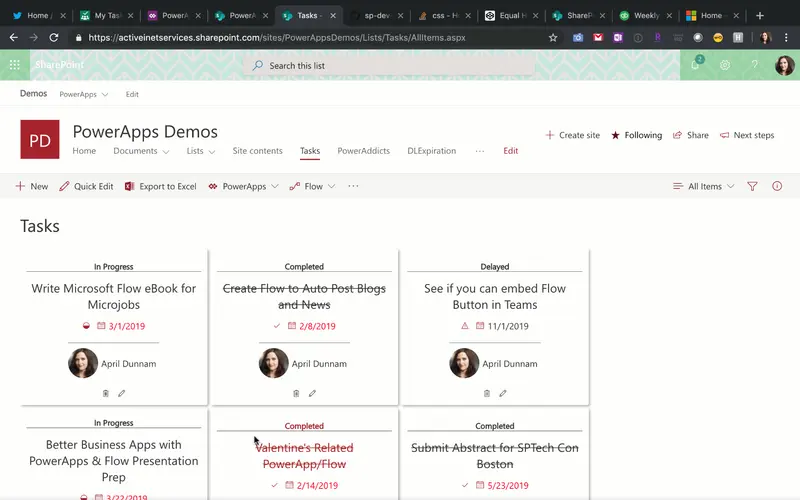
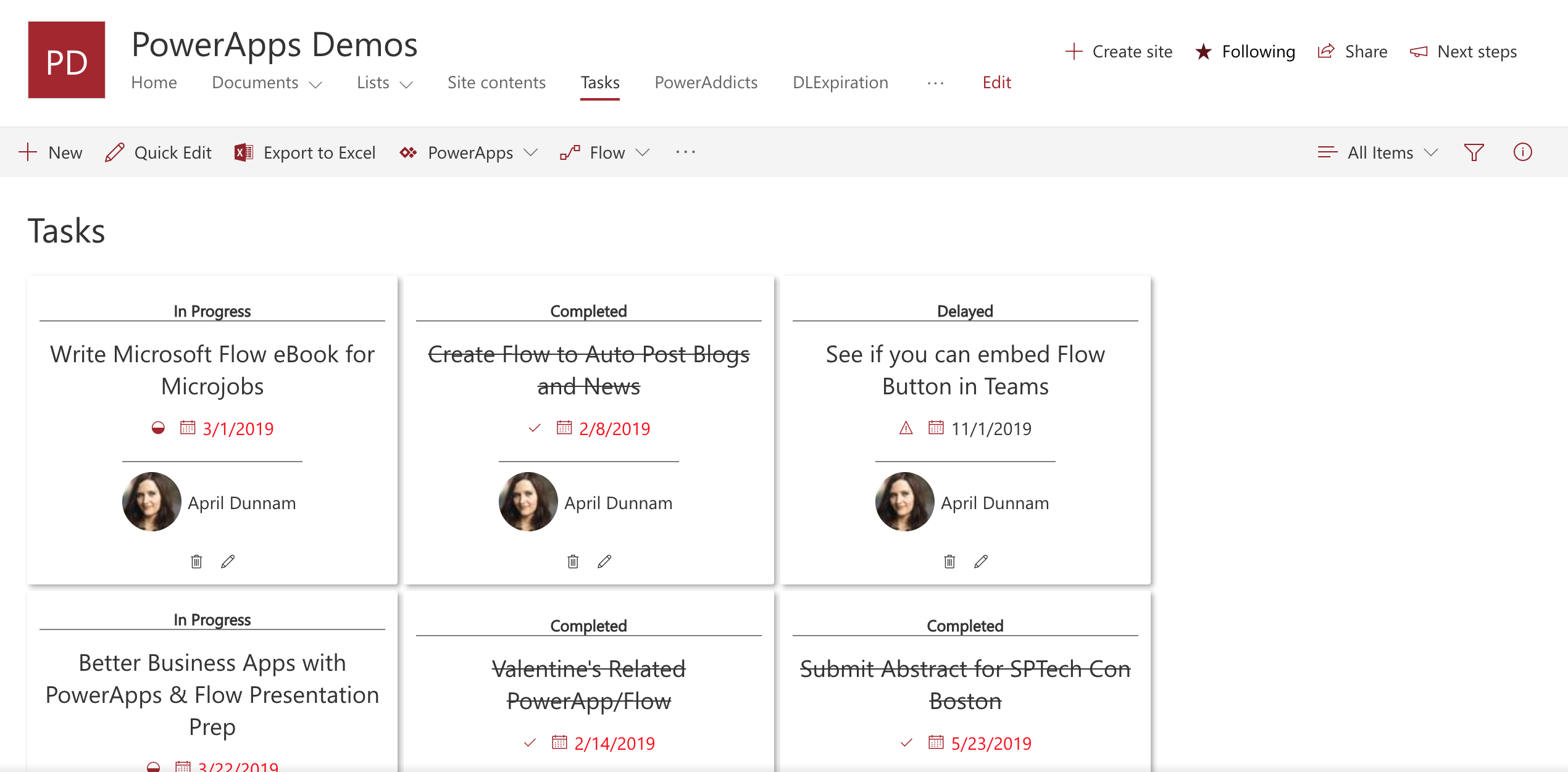
Formats Task List Items in a Planner Inspired Card View. Uses Fluent UI Icons to designate "In Progress", "Completed" and "Delayed" Statuses. Automatically strikes out text for "Completed" items.
View requirements
All fields below should be part of the view, but only those marked with Required need to have values:
| Type | Internal Name | Required |
|---|---|---|
| Single line of text | Title | Yes |
| Person | AssignedTo | Yes |
| Choice | Status | No |
| DateTime | DueDate | No |
The Status column expects the following choice values:
- In Progress
- Delayed
- Completed
Sample
| Solution | Author(s) |
|---|---|
| planner-inspired-task-card.json | April Dunnam |
Version history
| Version | Date | Comments |
|---|---|---|
| 1.0 | July 26, 2019 | Initial release |
Disclaimer
THIS CODE IS PROVIDED AS IS WITHOUT WARRANTY OF ANY KIND, EITHER EXPRESS OR IMPLIED, INCLUDING ANY IMPLIED WARRANTIES OF FITNESS FOR A PARTICULAR PURPOSE, MERCHANTABILITY, OR NON-INFRINGEMENT.
Additional notes
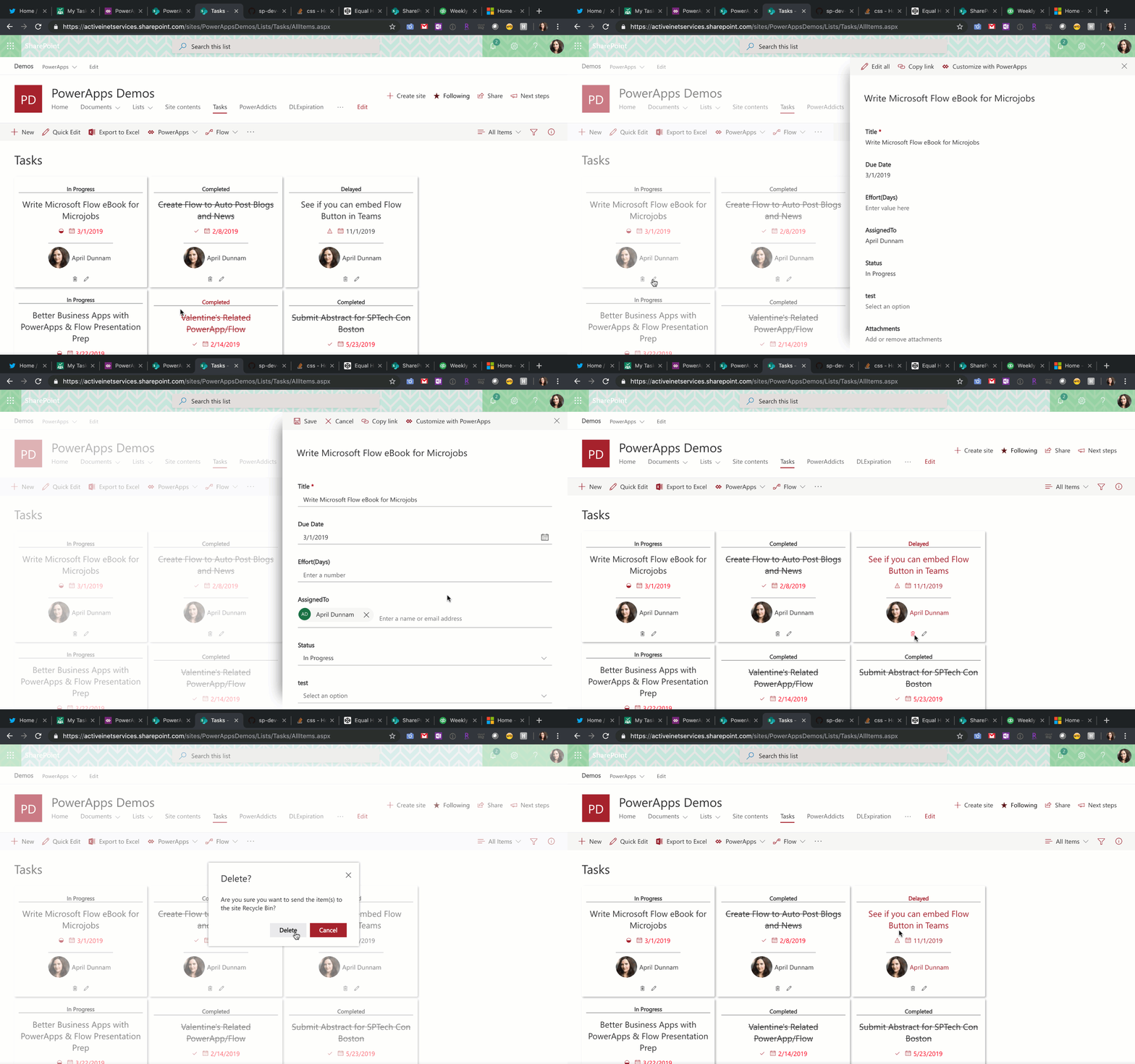
This format takes advantage of CustomRowActions to enable the defaultClick and delete actions from icon buttons: