
From the contributor
How to use this sample
Summary
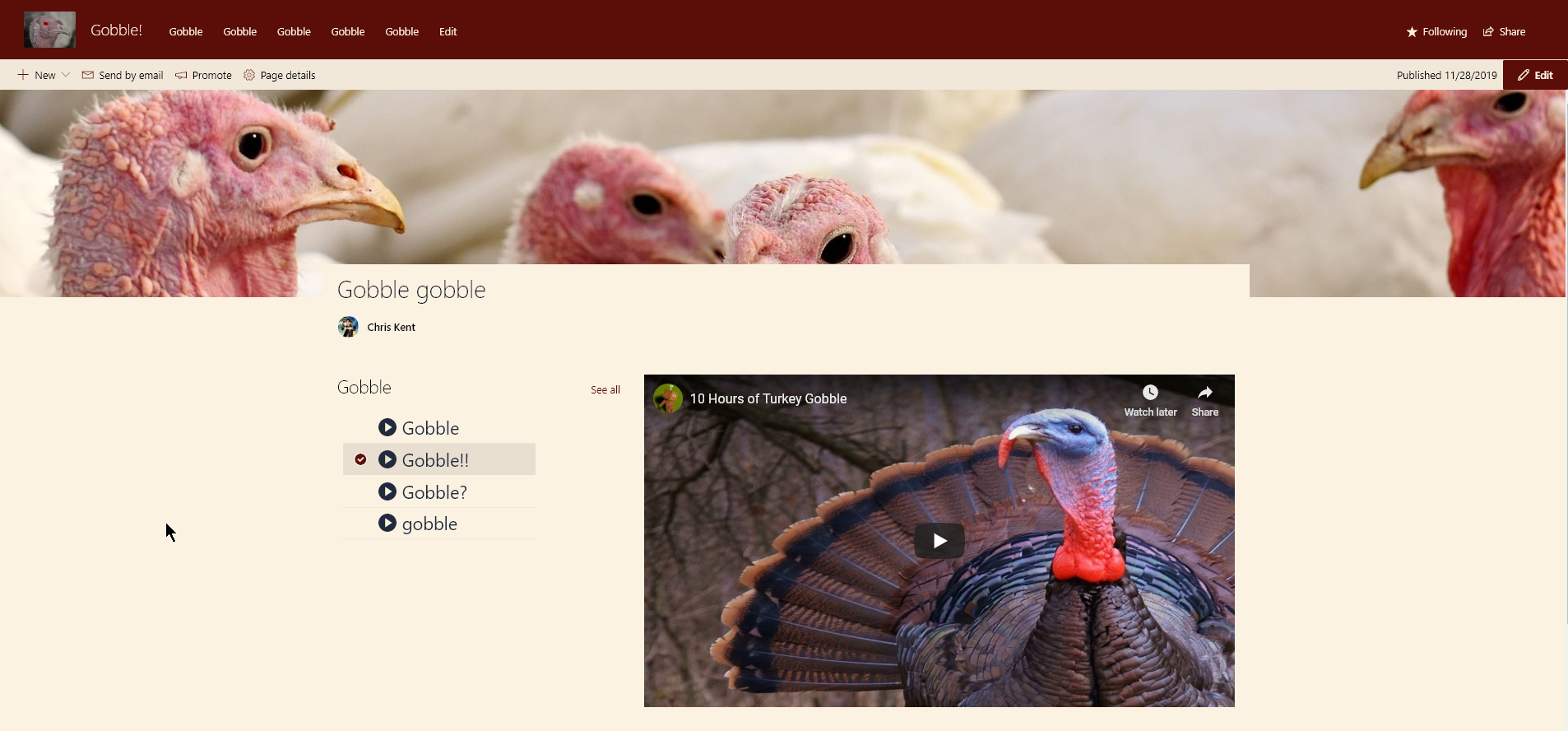
This sample demonstrates the use of dynamic connections in the list webpart while using a custom format. The format is applied to a list of YouTube videos with each item containing the shortcode for the video. On a page, the list webpart with the custom view is used. The embed webpart is configured to accept it as a connection. This results in a custom video selection application that changes the embeded video on the page.
Page Configuration
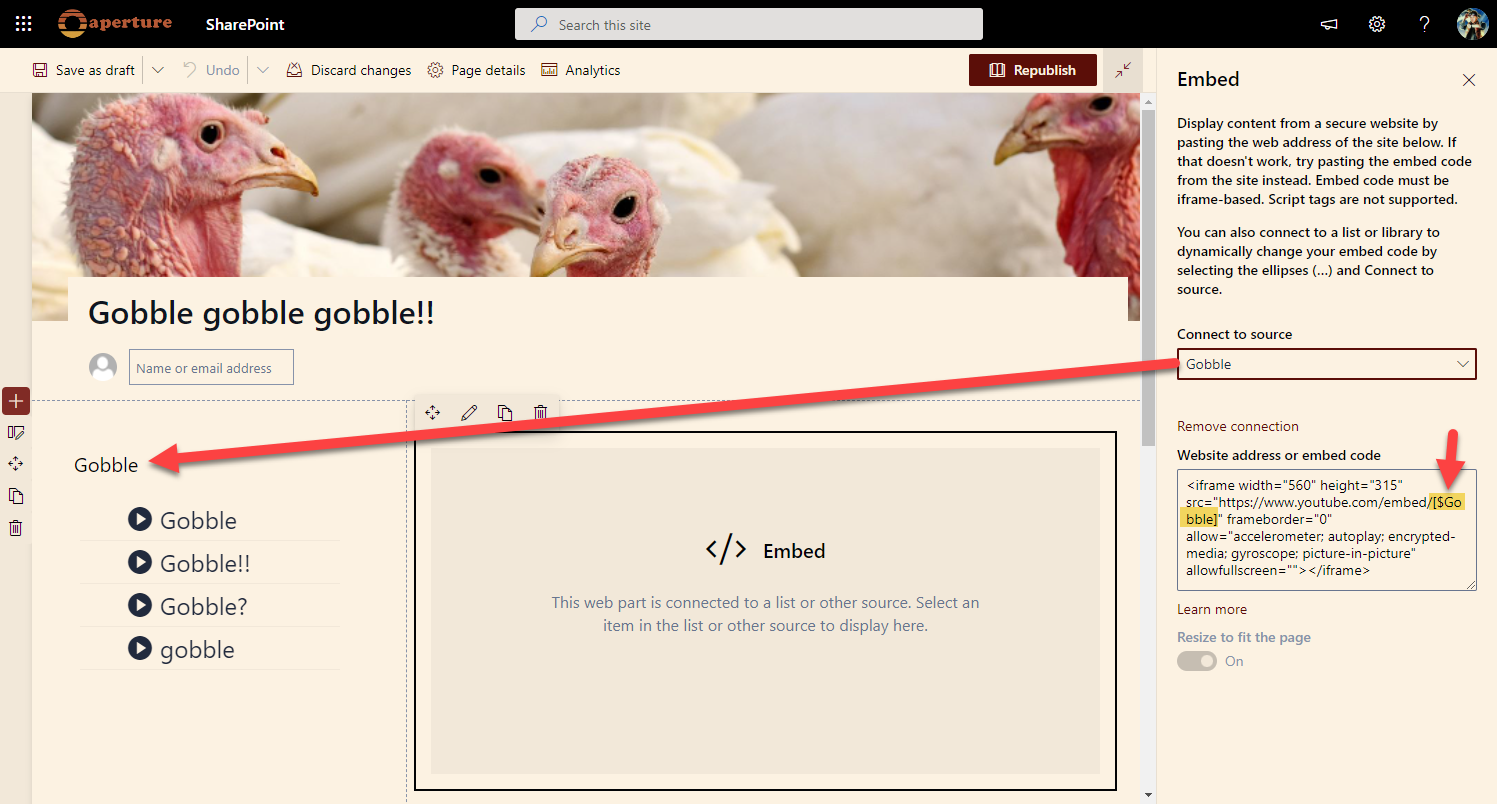
- Add the list webpart to a modern page and set the view to use the formatted view. Optionally, hide the commandbar and see all link.
- Add an Embed webpart to the page and connect to a source. In this case, choose the list webpart we just put on the page.
- In the embed code paste the standard embed code for YouTube Videos replacing the shortcode with the internal name of your column in the format
[$INTERNALNAME](`[$Gobble] in the code below)
<iframe width="560" height="315" src="https://www.youtube.com/embed/[$Gobble]" frameborder="0" allow="accelerometer; autoplay; encrypted-media; gyroscope; picture-in-picture" allowfullscreen=""></iframe>
Now, when you select an item in the list webpart you should see the related video show up in the embed webpart!
View requirements
| Type | Internal Name | Required |
|---|---|---|
| Single line of text | Title | Yes |
| Single line of text | Gobble | Yes |
The Gobble column above is where the YouTube shortcode goes. Both the Title and the Gobble column should be part of the view.
Sample
| Solution | Author(s) |
|---|---|
| video-navigator.json | Chris Kent |
Version history
| Version | Date | Comments |
|---|---|---|
| 1.0 | March 31, 2020 | Initial release |
Disclaimer
THIS CODE IS PROVIDED AS IS WITHOUT WARRANTY OF ANY KIND, EITHER EXPRESS OR IMPLIED, INCLUDING ANY IMPLIED WARRANTIES OF FITNESS FOR A PARTICULAR PURPOSE, MERCHANTABILITY, OR NON-INFRINGEMENT.