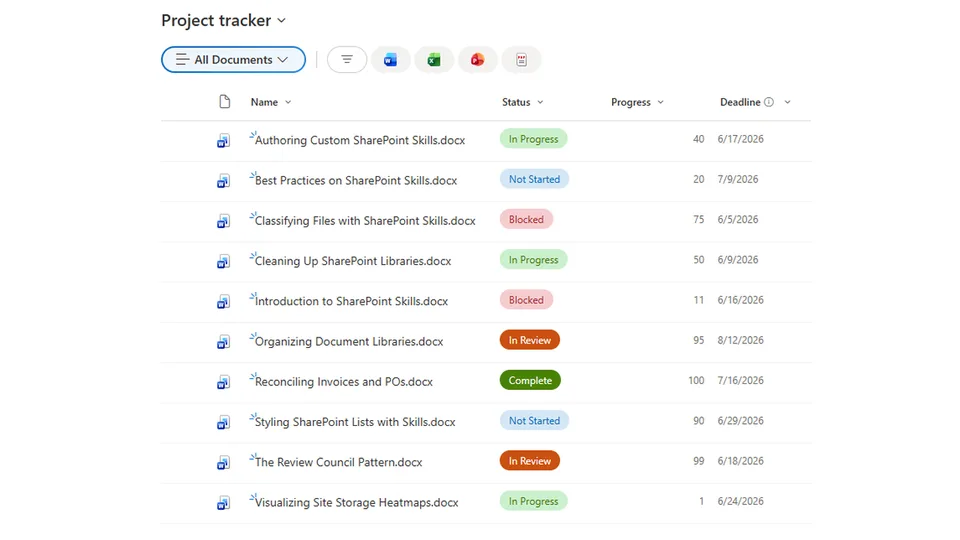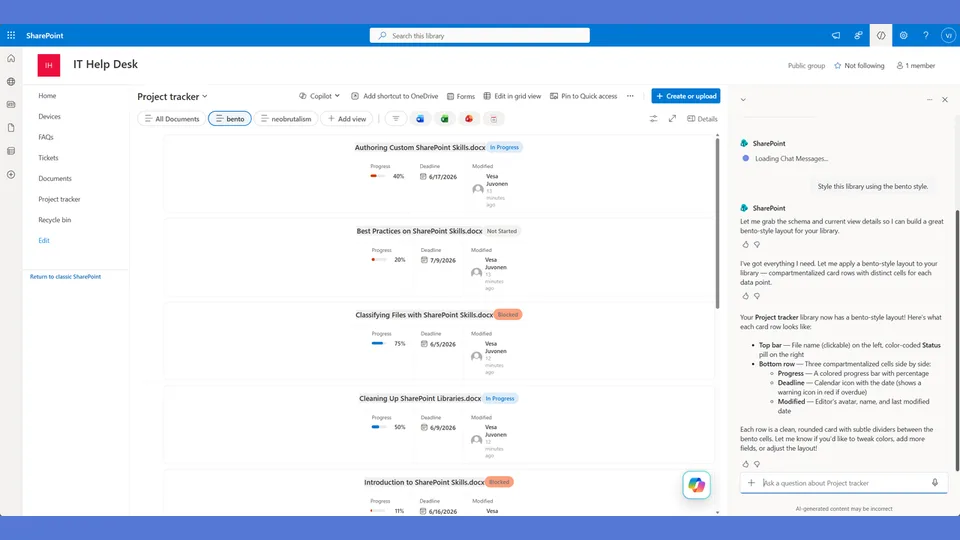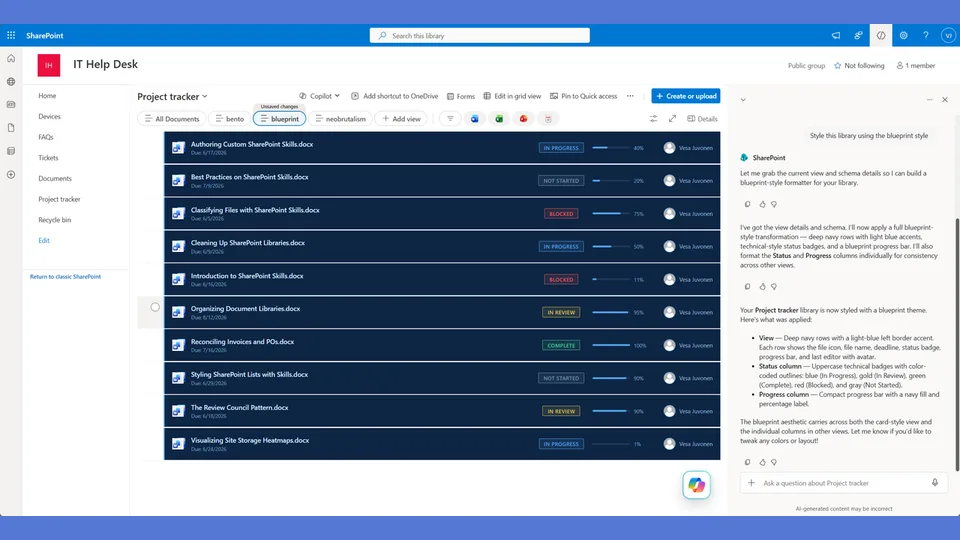
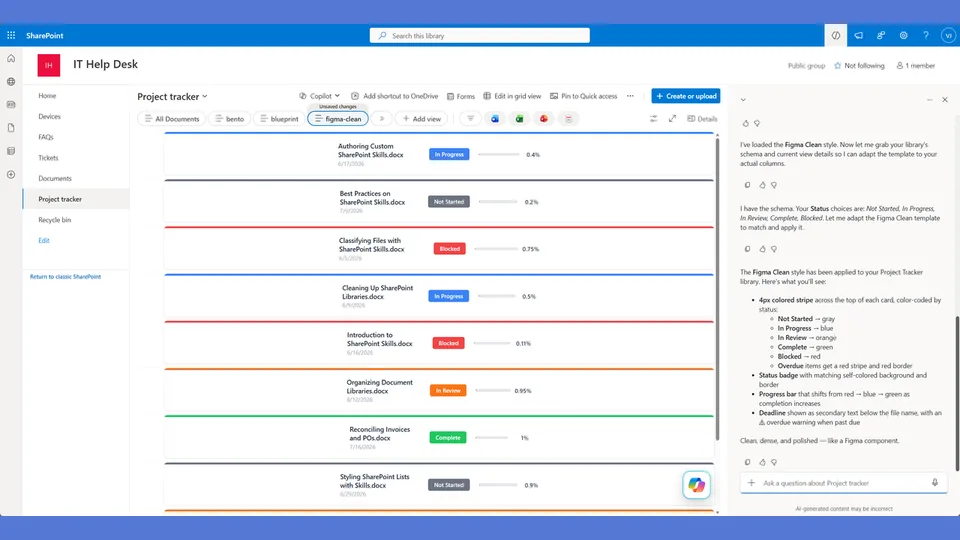
Figma Clean style tokens for the list-styling skill. Polished professional aesthetic with self-colored badge borders and thin precise progress bars.
Use when the user says 'figma,' 'clean style,' 'polished,' or 'professional.'
A SharePoint list style that looks like a polished Figma component library. Each card has a thin status-colored stripe across the top, clean data layout below, and subtle self-colored borders. Polished, professional, and immediately recognizable as intentional design.
What you get
- Design tokens with per-status accent colors used across the top stripe, border, and badge
- A
rowFormatterwith a colored header bar that shifts hue based on the item's status value - Clean typographic hierarchy below the stripe — name, metadata row, progress bar
- A style that pairs well with modern SharePoint intranets and communication sites
Using this style
This is a style token skill — it provides design tokens and a reference rowFormatter, but does not apply them on its own. Pair it with the list-styling skill, which reads the tokens from this skill and adapts the row template to your library's actual columns.
Typical flow:
- Install both this skill and list-styling into your SharePoint Skills library.
- From a Copilot agent, ask: "Style this library using the figma-clean style."
Looking for sample content to try it on? The list-styling demo ships with ten short Word documents and the exact Status, Progress, and Deadline column setup the row template expects.
When to use this style
Audience: designers, product teams, and anyone whose first reaction to a list should be "this looks deliberately designed." Tone: polished, restrained, component-library precision — no flourish, no decoration.
Demo video
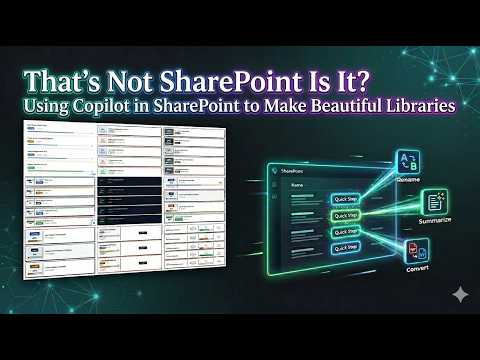
SharePoint Skill
| Solution | Author(s) |
|---|---|
| style-figma-clean | Zach Rosenfield | GitHub | LinkedIn |
Version history
| Version | Date | Comments |
|---|---|---|
| 1.0 | May 2026 | Initial Release |
Disclaimer
THIS CODE IS PROVIDED AS IS WITHOUT WARRANTY OF ANY KIND, EITHER EXPRESS OR IMPLIED, INCLUDING ANY IMPLIED WARRANTIES OF FITNESS FOR A PARTICULAR PURPOSE, MERCHANTABILITY, OR NON-INFRINGEMENT.
Package
Ready to install
The ZIP contains only the upload-ready inner skill folder.
View SKILL.md
---
name: style-figma-clean
description: Figma Clean style tokens and row template for the list-styling skill. Polished professional cards with a colored top stripe that matches the status, clean data layout below, subtle self-colored borders. Layout features a thin status-colored bar across the top of each card. Use when the user says "figma," "clean," "polished," "professional," "design tool," or similar.
---

# Figma Clean — Style Tokens + Row Template

Precise, polished, information-dense. Each card has a thin colored stripe across the top that matches the status. Below it, a clean horizontal layout with all metadata. Feels like a Figma component.

**Layout philosophy: Top-stripe card.** A thin 4px colored bar spans the top of each card, color-coded to the status. Below it, a single horizontal row of data: name, badge, progress, deadline. Dense but never cluttered. Every element is precisely placed.

## Badge Tokens

- padding: `4px 12px`
- border-radius: `4px`
- font-size: `12px`
- font-weight: `600`
- text-transform: `none`

### status_colors

| Value | bg | text | border | stripe_color |
|---|---|---|---|---|
| Draft | `#6b7280` | `#ffffff` | `1px solid #6b7280` | `#6b7280` |
| In Review | `#3b82f6` | `#ffffff` | `1px solid #3b82f6` | `#3b82f6` |
| Revising | `#f97316` | `#ffffff` | `1px solid #f97316` | `#f97316` |
| Approved | `#22c55e` | `#ffffff` | `1px solid #22c55e` | `#22c55e` |
| Published | `#16a34a` | `#ffffff` | `1px solid #16a34a` | `#16a34a` |
| _fallback | `#9ca3af` | `#ffffff` | `1px solid #9ca3af` | `#9ca3af` |

## Row Card Tokens

- card_border: `1px solid #e5e7eb`
- card_border_radius: `8px`
- card_background: `#ffffff`
- card_margin_bottom: `8px`
- card_shadow: `0px 1px 4px #0000000a`
- stripe_height: `4px` (colored bar at top)
- overdue_stripe_color: `#ef4444`
- overdue_card_border: `1px solid #fecaca`

---

## Row Template Layout

Top-stripe card with a horizontal metadata row.

```
┌──────────────────────────────────────────────────────────┐
│████████████████████████████████████████████████████████████│ ← 4px status-colored stripe
│                                                          │
│  API Guide.docx      [In Review]    ███████░░░  72%     │
│                                      5/15/2026           │
╰──────────────────────────────────────────────────────────╯
```

## rowFormatter JSON

**Adapt before applying.** The column names below (`[$Status]`, `[$Progress]`, `[$Deadline]`) are example placeholders — replace them with the actual internal column names from the user's list. Also update every status value string ('Draft', 'In Review', 'Revising', etc.) to match the user's actual Choice values. Follow list-styling Step 3.

```json
{
  "$schema": "https://developer.microsoft.com/json-schemas/sp/v2/view-formatting.schema.json",
  "hideSelection": false,
  "hideColumnHeaders": true,
  "rowFormatter": {
    "elmType": "div",
    "style": {
      "display": "flex",
      "flex-direction": "column",
      "border": "=if([$Deadline] < @now, '1px solid #fecaca', '1px solid #e5e7eb')",
      "border-radius": "8px",
      "background-color": "#ffffff",
      "margin-bottom": "8px",
      "box-shadow": "0px 1px 4px #0000000a",
      "overflow": "hidden"
    },
    "children": [
      {
        "elmType": "div",
        "style": {
          "height": "4px",
          "width": "100%",
          "background-color": "=if([$Deadline] < @now, '#ef4444', if([$Status] == 'Draft', '#6b7280', if([$Status] == 'In Review', '#3b82f6', if([$Status] == 'Revising', '#f97316', if([$Status] == 'Approved', '#22c55e', if([$Status] == 'Published', '#16a34a', '#9ca3af'))))))"
        }
      },
      {
        "elmType": "div",
        "style": {
          "display": "flex",
          "align-items": "center",
          "padding": "16px 20px",
          "gap": "20px"
        },
        "children": [
          {
            "elmType": "div",
            "style": {
              "flex": "2",
              "display": "flex",
              "flex-direction": "column",
              "gap": "2px"
            },
            "children": [
              {
                "elmType": "div",
                "style": {
                  "font-size": "14px",
                  "font-weight": "600",
                  "color": "#1f2937"
                },
                "txtContent": "=if([$FileLeafRef] == '', [$Title], [$FileLeafRef])"
              },
              {
                "elmType": "span",
                "txtContent": "=if([$Deadline] < @now, '⚠ Overdue — ' + toLocaleDateString([$Deadline]), toLocaleDateString([$Deadline]))",
                "style": {
                  "font-size": "12px",
                  "color": "=if([$Deadline] < @now, '#ef4444', '#9ca3af')",
                  "font-weight": "=if([$Deadline] < @now, '600', '400')"
                }
              }
            ]
          },
          {
            "elmType": "span",
            "txtContent": "[$Status]",
            "style": {
              "display": "inline-block",
              "padding": "4px 12px",
              "border-radius": "4px",
              "font-size": "12px",
              "font-weight": "600",
              "white-space": "nowrap",
              "color": "#ffffff",
              "background-color": "=if([$Status] == 'Draft', '#6b7280', if([$Status] == 'In Review', '#3b82f6', if([$Status] == 'Revising', '#f97316', if([$Status] == 'Approved', '#22c55e', if([$Status] == 'Published', '#16a34a', '#9ca3af')))))",
              "border": "=if([$Status] == 'Draft', '1px solid #6b7280', if([$Status] == 'In Review', '1px solid #3b82f6', if([$Status] == 'Revising', '1px solid #f97316', if([$Status] == 'Approved', '1px solid #22c55e', if([$Status] == 'Published', '1px solid #16a34a', '1px solid #9ca3af')))))"
            }
          },
          {
            "elmType": "div",
            "style": {
              "flex": "1.5",
              "display": "flex",
              "align-items": "center",
              "gap": "8px"
            },
            "children": [
              {
                "elmType": "div",
                "style": {
                  "flex": "1",
                  "height": "6px",
                  "background-color": "#e5e7eb",
                  "border-radius": "3px",
                  "overflow": "hidden"
                },
                "children": [
                  {
                    "elmType": "div",
                    "style": {
                      "width": "=toString([$Progress]) + '%'",
                      "height": "100%",
                      "border-radius": "3px",
                      "background-color": "=if([$Progress] < 30, '#ef4444', if([$Progress] < 66, '#3b82f6', '#22c55e'))"
                    }
                  }
                ]
              },
              {
                "elmType": "span",
                "txtContent": "=toString([$Progress]) + '%'",
                "style": {
                  "font-size": "13px",
                  "font-weight": "600",
                  "color": "#374151",
                  "min-width": "36px",
                  "text-align": "right"
                }
              }
            ]
          }
        ]
      }
    ]
  }
}
```

---

## Checklist — "I Can't Believe That's SharePoint"

- ✅ Full rowFormatter — NOT default column grid
- ✅ 4px colored STATUS STRIPE across the top of each card — this IS the style
- ✅ Stripe color changes per status AND turns red for overdue
- ✅ Compact single-row horizontal layout below the stripe
- ✅ Self-colored badge borders (border matches background)
- ✅ Title Case on badges — not uppercase
- ✅ Blue mid-range progress fill (#3b82f6)
- ✅ Date is secondary text below the document name — not a separate compartment
- ✅ Overdue shows inline with the date ("⚠ Overdue — 4/25/2026")
- ✅ Very subtle shadow and border — precision, not drama
- ✅ Most compact layout of all styles — highest information density
- ✅ Completely different from: Neobrutalism (stripe vs sidebar), Glassmorphism (horizontal vs stacked), Bento (single-row vs compartments), Retro (subtle vs loud)

---

## Responsive / mobile

- **≤ 480 px**: stack the inline metadata (status pill, progress, deadline) under the title rather than beside it. The top status-colored stripe stays its full width.
- **Min-width hygiene**: every text child needs `min-width: 0` so long document names ellipsis-truncate without pushing siblings off-screen.
- **Touch targets**: the row card is the click target — keep its height ≥ 56 px on mobile.
- **Hero text**: 14 px on desktop is already the floor; do not step down further or the precision tone collapses.

## Implementation notes

### Two independent color channels — don't collapse them

This is the single most common adaptation mistake. The style uses **two color encodings simultaneously** and they are driven by different fields:

| Element | Driven by | Example |
|---|---|---|
| **Top stripe color** | **Status** (Choice value → palette swatch) | `In Review` → amber stripe |
| **Progress fill color** | **Progress percentage** (red < 30% · amber 30–70% · blue ≥ 70%) | `82%` → blue fill |

A card can therefore have an amber stripe and a blue progress fill simultaneously — that is correct, not a bug. When adapting the rowFormatter, keep these two `if()` expressions completely separate. Never derive one from the other.
References
- agentskills.io specification
The specification that SharePoint AI skills follow for installation and discovery.
- List Styling Engine
The companion skill that applies these style tokens to a SharePoint list.
- Demo video
Walkthrough of the list-styling engine and supporting style token skills.
Discuss this skill
Ask a question, share how you used it, or suggest an improvement with the community.
Open GitHub Discussions