
From the contributor
How to use this sample
Summary
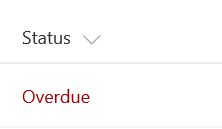
This example colors the current field red when the value inside an item's DueDate is before the current date/time. Unlike some of the previous examples, this example applies formatting to one field by looking at the value inside another field. Note that DueDate is referenced using the [$FieldName] syntax. FieldName is assumed to be the internal name of the field. This example also takes advantage of a special value that can be used in date/time fields - @now, which resolves to the current date/time, evaluated when the user loads the list view.
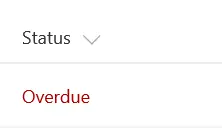
Although the color can be specified directly in a style property, the Fluent UI
ms-fontColor-redDarkclass is used to ensure the color matches the defined Office styles.
View requirements
- This format can be applied to any column type
- An additional DateTime column with an internal name of
DueDate
Sample
| Solution | Author(s) |
|---|---|
| date-range-format.json | SharePoint Team |
Version history
| Version | Date | Comments |
|---|---|---|
| 1.0 | November 2, 2017 | Initial release |
| 1.1 | March 22, 2018 | Minor color adjustment |
| 1.2 | August 17, 2018 | Changed color from style to class and switched to Excel-style expressions |
Disclaimer
THIS CODE IS PROVIDED AS IS WITHOUT WARRANTY OF ANY KIND, EITHER EXPRESS OR IMPLIED, INCLUDING ANY IMPLIED WARRANTIES OF FITNESS FOR A PARTICULAR PURPOSE, MERCHANTABILITY, OR NON-INFRINGEMENT.
Additional notes
This sample is also covered in the main documentation around Column Formatting
An additional version using Abstract Tree Syntax (AST) is also provided for environments where the Excel-style expressions are not supported.