
From the contributor
How to use this sample
Summary
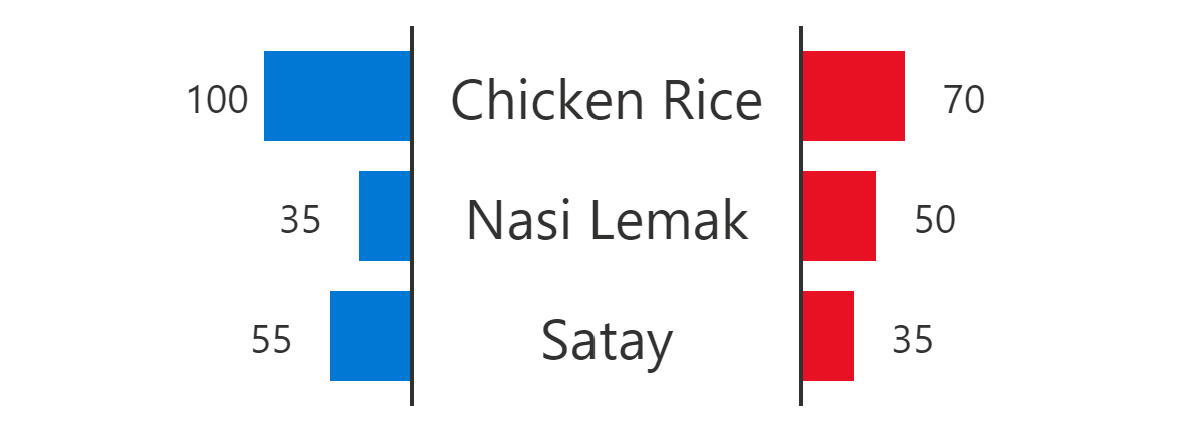
This sample formats a SharePoint list view into a butterfly chart.
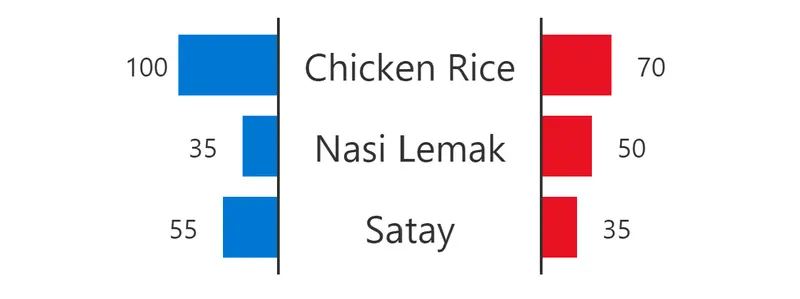
This example shows values from 0 to 500. You can adjust this scale by changing the width value of the style element.
View requirements
| Type | Internal Name | Required |
|---|---|---|
| Single line of text | Title | Yes |
| Number | Sales | Yes |
| Number | Cost | Yes |
Sample
| Solution | Author(s) |
|---|---|
| butterfly-chart.json | Tetsuya Kawahara |
Version history
| Version | Date | Comments |
|---|---|---|
| 1.0 | February 5, 2021 | Initial release |
| 2.0 | August 20, 2021 | Screenshot added |
Disclaimer
THIS CODE IS PROVIDED AS IS WITHOUT WARRANTY OF ANY KIND, EITHER EXPRESS OR IMPLIED, INCLUDING ANY IMPLIED WARRANTIES OF FITNESS FOR A PARTICULAR PURPOSE, MERCHANTABILITY, OR NON-INFRINGEMENT.