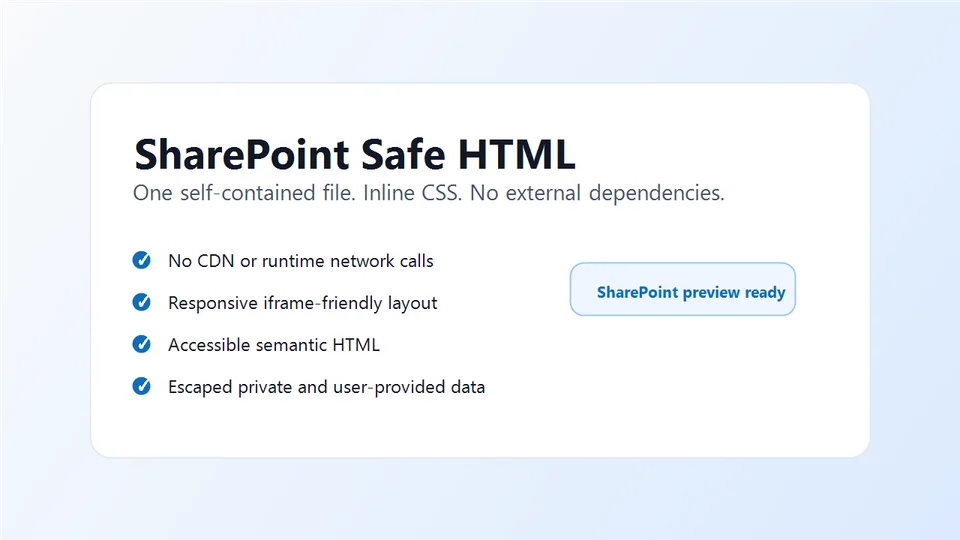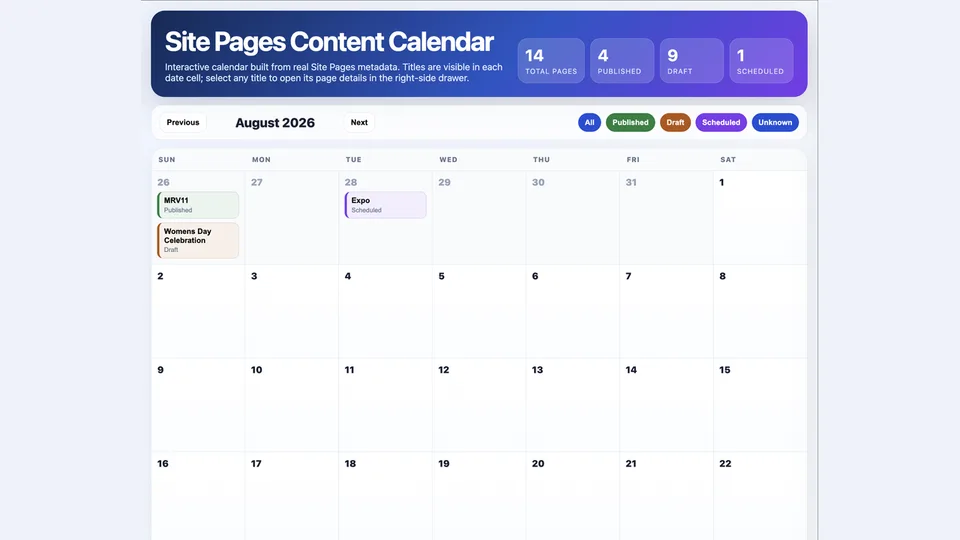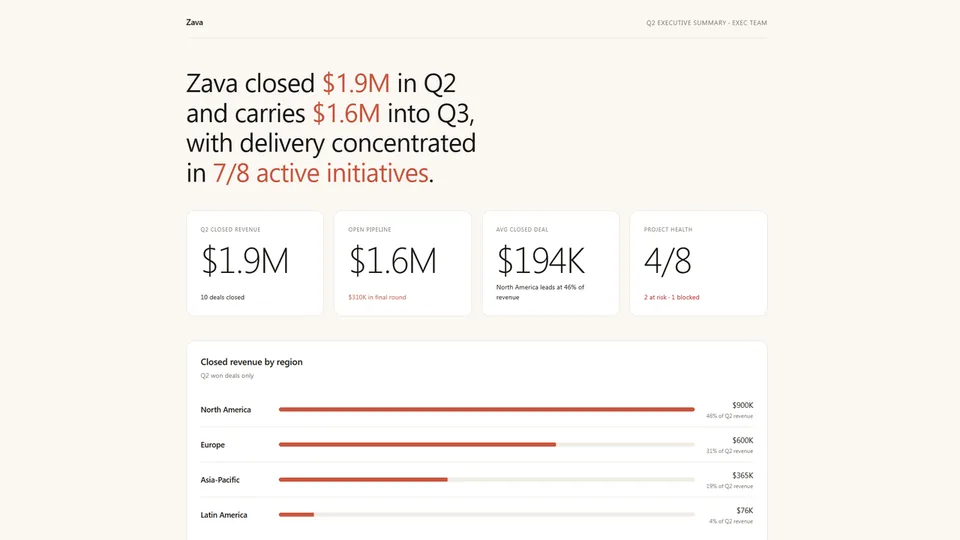
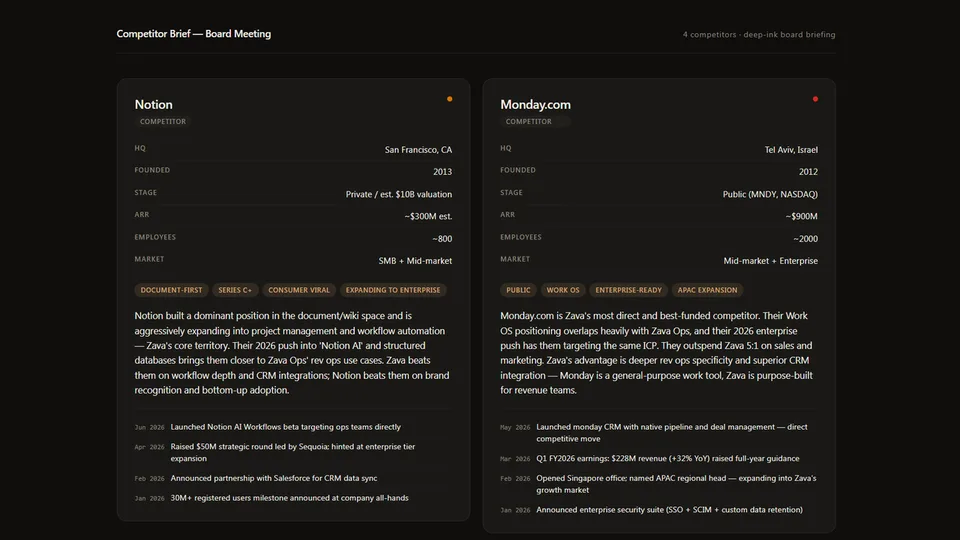
Generates a complete, self-contained HTML briefing by interviewing the user or parsing their data, constructing and validating a JSON document, then rendering it into a sandbox-safe HTML file. Automatically chooses between grid mode (2–8 subjects as responsive cards) and one-pager mode (1 subject as a rich full briefing).
Each subject card includes structured key facts, classification tags, a prose summary, and an optional activity timeline. The activity timeline is CSS-based — no JavaScript required. Four visual palette options. No external dependencies — output runs inside a SharePoint sandboxed iframe.
Renders a polished, self-contained HTML briefing from any data source — SharePoint lists, uploaded documents, or a verbal description. Automatically chooses between a responsive card grid (2–8 subjects) and a full one-pager briefing (1 subject).
What you get
- A complete, self-contained HTML briefing with structured key facts, tags, prose summary, and an activity timeline per subject
- Auto-detection of layout: grid mode for 2–8 subjects, one-pager mode for a single detailed briefing
- A CSS-based activity timeline — no JavaScript required for rendering
- Four visual palette options; defaults to warm paper
When to use
Ask Copilot:
- "competitor landscape" / "account brief" / "candidate summary"
- "board bios" / "speaker profiles" / "partner overview"
- "briefing on these vendors" / "site inventory" / "dossier on..."
SharePoint Skill
| Solution | Author(s) |
|---|---|
| dossier | Zach Rosenfield | GitHub | LinkedIn |
Version history
| Version | Date | Comments |
|---|---|---|
| 1.0 | May 2026 | Initial Release |
Disclaimer
THIS CODE IS PROVIDED AS IS WITHOUT WARRANTY OF ANY KIND, EITHER EXPRESS OR IMPLIED, INCLUDING ANY IMPLIED WARRANTIES OF FITNESS FOR A PARTICULAR PURPOSE, MERCHANTABILITY, OR NON-INFRINGEMENT.
Package
Ready to install
The ZIP contains only the upload-ready inner skill folder.
View SKILL.md
---
name: dossier
description: >
  Renders a polished, self-contained HTML briefing from any data source — SharePoint lists,
  uploaded documents, or a verbal description. Use when asked to build a competitor landscape,
  account brief, candidate summary, site inventory, board bio, speaker profile, partner overview,
  or any grid of profile cards or single-subject one-pager. Interviews the user if data is
  incomplete, constructs a validated JSON document, then renders it into a sandbox-safe HTML file
  using grid mode (2–8 subjects as responsive cards) or one-pager mode (1 subject as a rich
  briefing). No external dependencies — output runs inside a SharePoint sandboxed iframe.
metadata:
  author: zrosenfield
---

# Dossier

Generates a complete, self-contained HTML briefing by (1) interviewing the user or parsing their data, (2) constructing and validating a JSON document, then (3) rendering that JSON into HTML using `assets/dossier-template.html`. The JSON is the authoritative source of truth; the HTML is fully determined by it.

---

## Step 1: Determine the Data Source

Check what the user has already provided before asking anything:

- **SharePoint lists**: Call `list_items` on the relevant lists. Read all needed columns before proceeding.
- **Uploaded documents or tables pasted in chat**: Parse all content. Do not ask for data you already have.
- **Verbal description only**: Proceed to Step 2.

---

## Step 2: Interview the User

If the data or intent is not fully clear, ask these questions in a single message — not one at a time:

1. **Subject type**: What are you profiling? (competitors, accounts/prospects, candidates, SharePoint sites, board members, speakers, partners, vendors — or something else)
2. **Subject count**: How many subjects? This determines the rendering mode.
3. **Purpose and audience**: What decision does this briefing support? Who reads it? This determines detail level and which key facts matter most.
4. **Key facts**: What are the 3–6 structured facts most important for each subject? Examples for competitors: HQ, founded, ARR, headcount. For candidates: current role, tenure, location, skills. For sites: owner, content type, last activity.
5. **Narrative emphasis**: Should the summary emphasize product/capabilities, financials, relationships, risks, or something else?
6. **Palette**: Warm paper (cream/terra-cotta), deep ink (dark/gold), clean white (white/green), or slate (gray/blue)? Default to warm paper.
7. **Mode override** (only ask if count is 1 or user seems to want detail): Do you want a full one-pager briefing or a compact card?

Confirm your understanding before building the JSON.

---

## Step 3: Choose the Rendering Mode

**Auto-detection rule:**
- 2–8 subjects → grid mode
- 1 subject → one-pager mode
- User explicitly says "one-pager" or "full briefing" → one-pager mode regardless of count
- User explicitly says "grid" or "landscape" → grid mode

Do not ask about mode unless the count is exactly 1 and the user has not indicated a preference.

---

## Step 4: Decide What Goes Where

**Key facts** hold structured, scannable, low-word-count data — the kind of facts a reader needs in 5 seconds. Rules:
- 3–6 pairs. No sentences. Values should be short (under 6 words).
- Good: `"HQ | Austin, TX"`, `"ARR | ~$40M est."`, `"Founded | 2019"`
- Bad: `"Company description | This is a company that..."` (belongs in summary)

**Tags** are the fastest signal — 2–5 short labels that classify the subject. Use for: industry vertical, stage, geography, product category, or any grouping the reader uses for orientation.

**Summary** is 2–5 sentences of prose. Write in third person. Lead with the most important fact. No bullet points. This is the editorial paragraph — what an analyst would write.

**Activity** holds the 2–5 most recent, most relevant developments — in most-recent-first order. Each item gets a short date prefix (e.g., "Apr 2026") and a one-sentence description. For competitors: product launches, fundraises, acquisitions, executive changes. For candidates: recent projects, promotions, publications. For sites: content updates, ownership changes, traffic milestones.

---

## Step 5: Build and Validate the JSON Document

Construct the JSON object. Top-level structure:

**`report` object** (document metadata):

| Field | Required | Description |
|---|---|---|
| `title` | yes | Page title, e.g. `"Competitor Landscape — Q2 2026"` |
| `subtitle` | no | Optional subtitle shown below title |
| `palette` | yes | `warm-paper`, `deep-ink`, `clean-white`, or `slate` |
| `mode` | no | `"grid"`, `"one-pager"`, or `"auto"` (default: `"auto"`) |
| `footer` | no | Footer text, e.g. `"Prepared May 28, 2026 · Confidential"` |

**`subjects` array** — ordered list of subject objects (1–8 items):

| Field | Required | Description |
|---|---|---|
| `id` | yes | Unique slug, e.g. `"acme-corp"` |
| `name` | yes | Subject display name |
| `type` | yes | Category label shown as a pill, e.g. `"Competitor"`, `"Prospect"`, `"Enterprise Site"` |
| `status` | no | Status label text, e.g. `"Active"`, `"Watch"`, `"Inactive"` |
| `status_color` | no | `green`, `amber`, `red`, `gray`, or `blue` |
| `key_facts` | yes | Array of `{label, value}` pairs, 2–6 items |
| `tags` | yes | Array of strings, 1–6 tags |
| `summary` | yes | 2–5 sentence prose paragraph |
| `activity` | no | Array of `{date, text}` items, 0–5, most-recent first |

### Validation Checklist

Run every check before rendering. Fix any failure before proceeding.

**Document level:**
- [ ] `report.palette` is one of: `warm-paper`, `deep-ink`, `clean-white`, `slate`
- [ ] `subjects` array has 1–8 entries
- [ ] `report.mode` is `"grid"`, `"one-pager"`, or `"auto"` (or omitted)

**Per subject:**
- [ ] `id` is present and unique
- [ ] `name` and `type` are present and non-empty
- [ ] `key_facts` has 2–6 items; each item has `label` and `value`
- [ ] `tags` has 1–6 items
- [ ] `summary` is present and 2–5 sentences
- [ ] `status_color` (if present) is one of: `green`, `amber`, `red`, `gray`, `blue`
- [ ] `activity` items (if present) each have `date` and `text`; at most 5 items

**Data integrity:**
- [ ] No `key_facts` value is a sentence — values must be short labels
- [ ] Activity items are ordered most-recent first
- [ ] Subject count matches the chosen mode (grid: 2–8, one-pager: 1; or mode is explicitly set)

---

## Step 6: Render the HTML

1. Read `assets/dossier-template.html`.
2. Replace `{{REPORT_TITLE}}` in `<title>` with a concise page title.
3. Replace `{{PALETTE_CLASS}}` on `<body>` with `palette-` + the palette name.
4. Determine final mode: if `report.mode` is `"auto"` or omitted, use `"grid"` for 2–8 subjects and `"one-pager"` for 1 subject.
5. Replace `{{PAGE_HEADER}}` with the `.rpt-header` strip (title + optional subtitle).
6. Replace `{{CONTENT}}` with the rendered subjects — either the grid of cards or the one-pager layout. See `references/components.md` for exact HTML patterns.
7. Replace `{{FOOTER}}` with the footer text (or empty string).
8. Deliver the complete file as the response. No prose outside the file.

---

## Hard Constraints

- No external URLs, CDN links, or web fonts in the output HTML.
- No `<script src>` tags. All JavaScript must be inline.
- All values must be pre-rendered — the page must be fully correct with JavaScript disabled.
- Do not generate Python, PowerShell, or any other scripts — output is always the HTML file.
- Do not render until the validation checklist passes.
- Do not use SharePoint Person column types in any accompanying list schema — use text columns only.
References
- agentskills.io specification
The specification that SharePoint AI skills follow for installation and discovery.
Discuss this skill
Ask a question, share how you used it, or suggest an improvement with the community.
Open GitHub Discussions