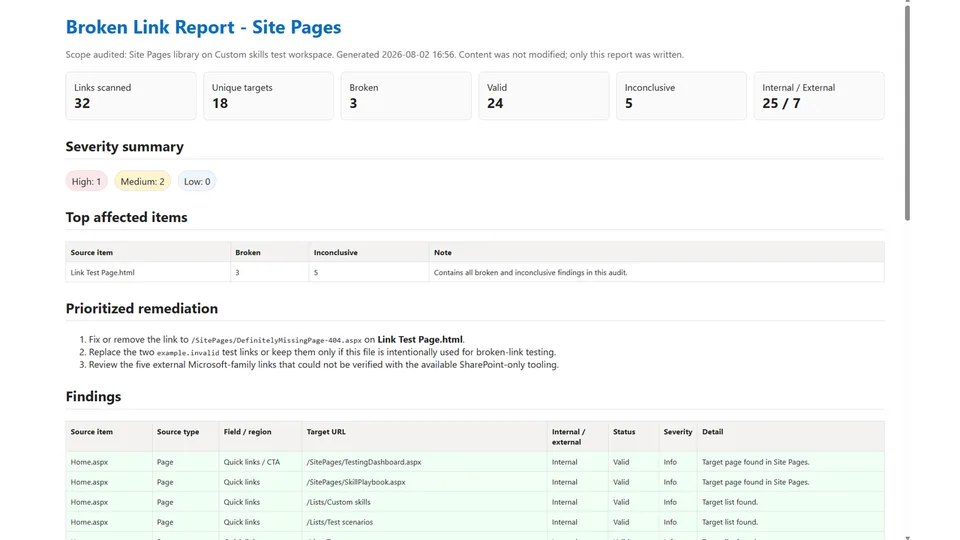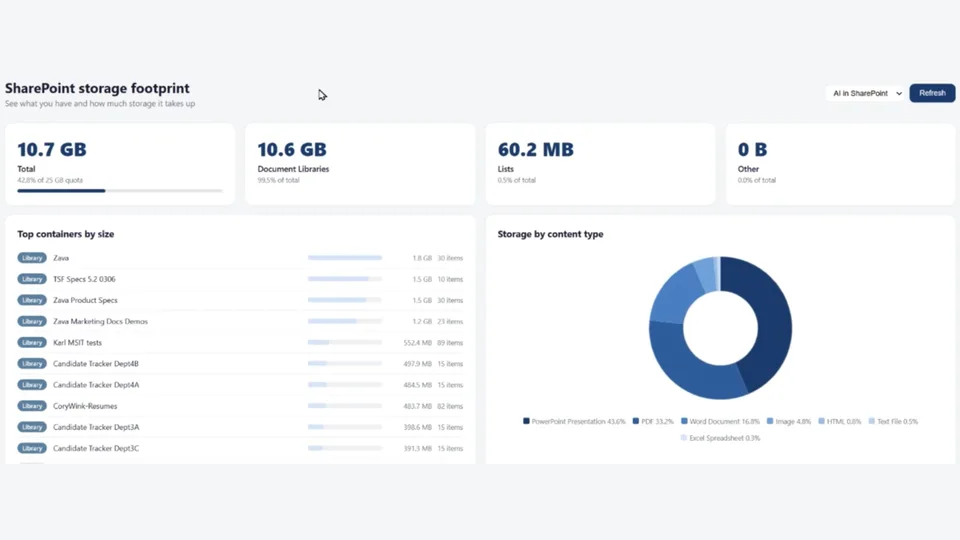
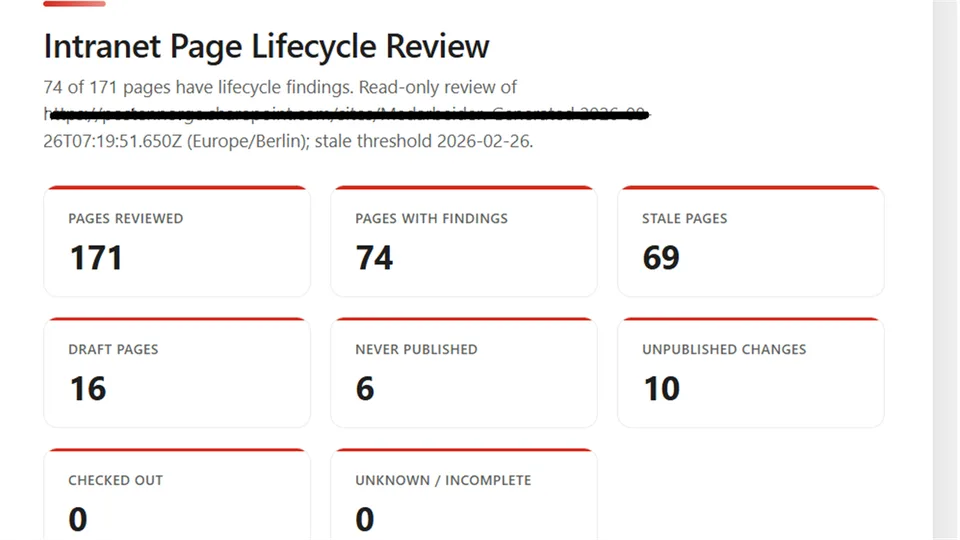
Reviews the current SharePoint site's Site Pages library and identifies pages that are stale, still in draft, never published, changed after publication, or checked out.
Creates a self-contained HTML report with lifecycle classifications, page links, ownership details, recommended follow-up actions, and explicit limitations without changing pages or library items.
Analyzes a SharePoint Site Pages library and creates a structured HTML report covering stale, draft, unpublished, and checked-out pages.
Preview
Generated lifecycle report:
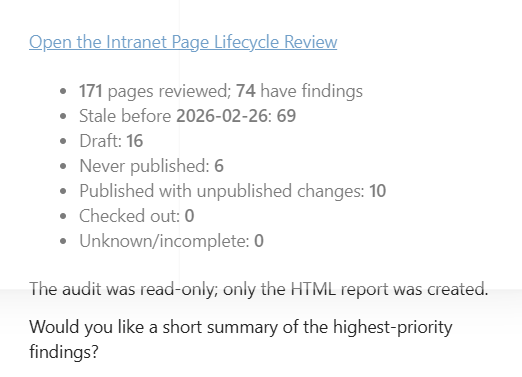
Report completion summary:
What you get
- Site Pages lifecycle overview
- Stale page analysis
- Draft and never-published page counts
- Pages with unpublished changes
- Checked-out page details
- Recommended follow-up actions
- Read-only analysis with no page or library changes
SharePoint Skill
| Solution | Author(s) |
|---|---|
| intranet-page-lifecycle-review | Harsh Damania | GitHub |
Version history
| Version | Date | Comments |
|---|---|---|
| 1.0 | August 2026 | Initial Release |
Disclaimer
THIS CODE IS PROVIDED AS IS WITHOUT WARRANTY OF ANY KIND, EITHER EXPRESS OR IMPLIED, INCLUDING ANY IMPLIED WARRANTIES OF FITNESS FOR A PARTICULAR PURPOSE, MERCHANTABILITY, OR NON-INFRINGEMENT.
Package
Ready to install
The ZIP contains only the upload-ready inner skill folder.
b0c0bfe4145b857ea77b2c5b5cd733786ada7ceddcfa168524d2a0c01295ffa5View SKILL.md
---
name: intranet-page-lifecycle-review
description: |-
  Run a read-only lifecycle audit of the current SharePoint site's Site Pages library and create a self-contained HTML report covering stale, draft, never-published, unpublished-change, and checked-out pages.

  Use when the user says:
    - "Review the intranet page lifecycle"
    - "Find stale or unpublished pages"
    - "Audit Site Pages"
    - "Create a page lifecycle report"
    - "Show checked-out pages and drafts"
---
# Intranet Page Lifecycle Review

## When to use
Use this skill to audit the current SharePoint site's **Site Pages** library for page lifecycle findings and produce a self-contained HTML report. The review is strictly read-only with respect to pages and library items.

Trigger for requests to review, audit, or report on stale pages, drafts, never-published pages, pages with unpublished changes, or checked-out pages.

## Inputs
- Current SharePoint site from live site context.
- Current date and site timezone from `context.now` or the equivalent authoritative date/time tool.
- Optional user-supplied inactivity period. Default to **6 calendar months**.
- Optional report name or destination. Default to `Intranet Page Lifecycle Review.html` in the current location when suitable; otherwise save it in a location supported by the HTML output tool and return its link.

## Steps
1. Carry the live current-site context into every workflow. Discover the current site's lists and libraries and identify the Site Pages library from its observed title, URL, and library/template metadata. Don't assume a list ID or rebuild a library URL.
2. Learn and use only the required read and output tools. Typical tools are `lists.discover`, `lists.getSchema`, `lists.getItems`, `files.getVersions`, `context.now`, and `output.html` or `output.htmlReport`.
3. Perform reconnaissance before creating the report:
   - Read the Site Pages schema and a representative sample.
   - Map the actual internal columns for page title/name, file reference or URL, Created, Author, Modified, Editor, moderation/publishing state, version, checkout state, and checkout user.
   - Use `fieldText` for Person, Lookup, and other structured field values.
   - Don't guess internal column names or status encodings.
4. Enumerate the full Site Pages library with pagination or an adequate row limit. Include page files and exclude folders and non-page support items. Preserve the page URL returned by SharePoint rather than fabricating one.
5. Read version history when needed to distinguish publication states. Determine state from observed metadata and version evidence:
   - **Draft status:** the current page metadata explicitly identifies it as Draft.
   - **Never been published:** version history contains no published major version. Don't infer this from age or title.
   - **Published with unpublished changes:** version history contains at least one published major version, while the current page is a later draft/minor version or metadata explicitly reports unpublished changes.
   - **Published:** the current version is published and has no later unpublished changes.
   - If version evidence is unavailable or ambiguous, label the publishing status `Unknown` and explain the limitation; don't invent a status.
6. Determine checkout status from the observed checkout metadata. Report `Checked out` only when the metadata confirms it, and show the checked-out user when available. Otherwise report `Not checked out` or `Unknown` as supported by the source.
7. Calculate the stale threshold as the date exactly six calendar months before the authoritative current date, respecting the site timezone. Flag pages whose Modified timestamp is strictly earlier than that threshold. State the concrete threshold date in the report.
8. Include a page when it has at least one of these findings:
   - Not modified within the last six months
   - Draft status
   - Never published
   - Published with unpublished changes
   - Currently checked out
9. Findings can overlap. For each page, combine every applicable reason in `Finding reason`; don't duplicate the page into separate rows. Compute summary totals for unique pages reviewed, unique pages with findings, and each finding category independently.
10. Recommend a non-destructive follow-up based on the evidence:
    - Stale: `Confirm ownership and relevance; consider updating or starting the approved archival process.`
    - Draft: `Ask the owner to review and either publish through the approved process or continue editing.`
    - Never published: `Confirm whether the page is still needed; ask the owner to complete review or follow the approved removal process.`
    - Unpublished changes: `Ask the editor to review the pending changes and publish through the approved process if ready.`
    - Checked out: `Contact the checked-out user to complete or release the checkout through the approved process.`
    Combine applicable recommendations without claiming any action was taken.
11. Sort findings first by publishing status using a stable, documented order (`Never published`, `Draft`, `Published with unpublished changes`, `Published`, `Unknown`), then by Modified date ascending so the oldest page appears first within each status. Use title as a final tie-breaker.
12. Split inspection and output into separate workflows when required: the first workflow reads and returns schema/sample/evidence; the second creates the report from inspected data. Perform all reads before the output write.
13. Generate one self-contained HTML report with embedded CSS and no external runtime dependencies. Escape all source text before placing it in HTML. Make page URLs clickable.
14. Return a concise completion message with the report link, the number of pages reviewed, the number with findings, the concrete stale threshold, and category totals.
15. If a read or version-history call fails or returns incomplete data, say so in the report and completion message. Don't fabricate values or silently classify uncertain pages.

## Output format
Create a self-contained HTML document containing:

1. **Header**
   - Report title
   - Site name or URL
   - Generated timestamp and timezone
   - Stale threshold date
   - A clear `Read-only review` label

2. **Summary cards**
   - Pages reviewed
   - Pages with one or more findings
   - Stale pages
   - Draft pages
   - Never-published pages
   - Published pages with unpublished changes
   - Checked-out pages
   - Unknown/incomplete classifications, when any

3. **Findings table** with exactly these user-facing columns:
   - Page title
   - Page URL
   - Created date and created by
   - Modified date and modified by
   - Publishing status
   - Checked-out status and checked out by
   - Finding reason
   - Recommended action

4. **Method and limitations**
   - Classification rules used
   - Concrete six-month threshold
   - Note that totals can overlap
   - Any missing fields, unreadable version histories, or ambiguous statuses
   - Statement that the skill made no page or library-item changes

Use ISO-style unambiguous dates with local timezone where possible. Show `Not available` for missing display values rather than leaving cells blank.

## Constraints
- Never edit, publish, unpublish, check in, check out, discard changes, move, copy, rename, archive, delete, restore, approve, reject, or change metadata on a page.
- Never change library settings, versioning, approvals, permissions, navigation, or views.
- The only permitted write is creation of the requested HTML report.
- Don't ask for confirmation to perform page changes because page changes are forbidden by this skill.
- Ground every finding in current Site Pages metadata and, where required, version history.
References
- agentskills.io specification
The specification that SharePoint AI skills follow for installation and discovery.
Discuss this skill
Ask a question, share how you used it, or suggest an improvement with the community.
Open GitHub Discussions