GitHub Copilot Capabilities
SPFx Toolkit provides a set of AI capabilities that may be used in GitHub Copilot Chat extension. The chat participant allows you to have a discussion grounded for SharePoint Framework development and the Language Model tools will provide you with several capabilities to manage your SharePoint Online tenant.
Agent Mode - Language Model Tools
Section titled “Agent Mode - Language Model Tools”SPFx Toolkit provides a set of language model tools that are available in GitHub Copilot agent mode. Some of them are designed to work in the context of your SharePoint Framework project but other may work regardless of what you have opened in VS Code and aim to do common task on your SharePoint Online tenant.
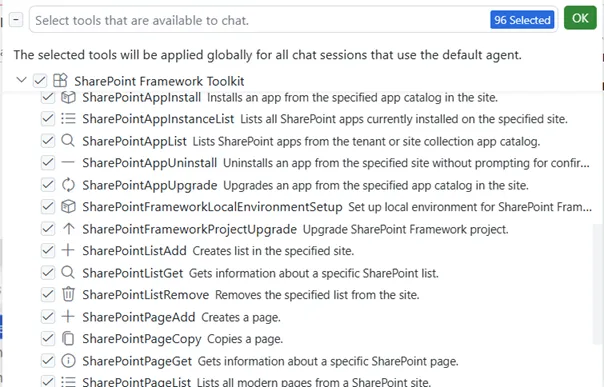
You don’t need to do anything specific to use any of the language model tools in GitHub Copilot agent mode. Copilot should figure out the best tool that it may use to fulfill your prompt. Optionally you may # hashtag a tool in your prompt to make it clear what you want to be used.
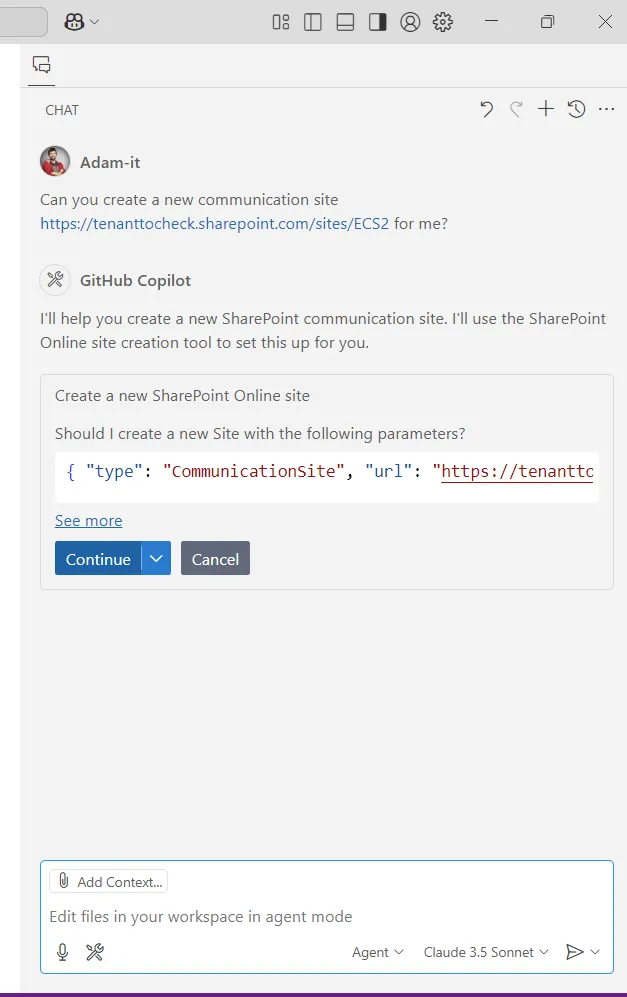
SharePoint Online Management
Section titled “SharePoint Online Management”This set of tools aim to allow you to perform common management tasks on your SharePoint Online tenant. In order to use them you need to be first signed in to your tenant in SPFx Toolkit.
The extension provides the following tools
| Tool | Description |
|---|---|
| SharePointAppInstall | Installs an app from tenant app catalog in the site |
| SharePointAppInstanceList | List installed SharePoint apps in a site |
| SharePointAppList | Lists apps from the tenant app catalog |
| SharePointAppUninstall | Uninstalls an app from a site |
| SharePointAppUpgrade | Upgrade a SharePoint app in the specified site |
| SharePointListAdd | Creates list in the specified site |
| SharePointListGet | Gets information about the specific list |
| SharePointListRemove | Removes the specified list |
| SharePointPageAdd | Creates a page |
| SharePointPageGet | Gets information about the specific page |
| SharePointPageList | Lists pages in the specified site |
| SharePointPageCopy | Copies a SharePoint page |
| SharePointPageRemove | Removes the specified page |
| SharePointSiteAdd | Create a new SharePoint Online site |
| SharePointSiteGet | Gets information about the specific site |
| SharePointSiteRemove | Remove a SharePoint Online site |
| SharePointFrameworkProjectUpgrade | Upgrade SharePoint Framework project |
| SharePointFrameworkLocalEnvironmentSetup | Set up local environment for SharePoint Framework development |
Chat Participant
Section titled “Chat Participant”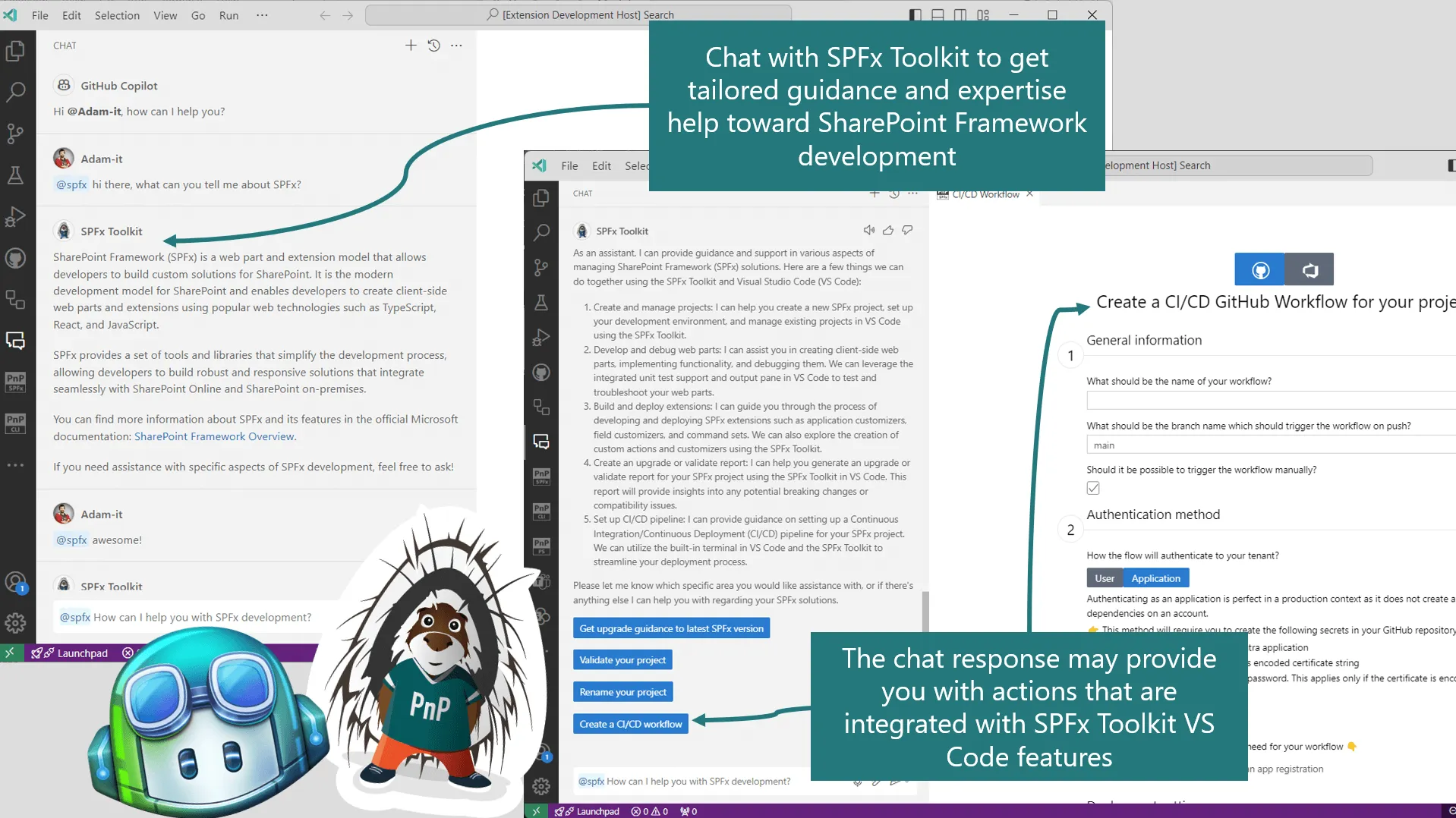
SPFx Toolkit comes along with a chat participant that you may use in GitHub Copilot ask mode. Simply, mention @spfx in the chat to ask dedicated questions regarding SharePoint Framework development.
@spfx is your dedicated AI assistant that will help you with anything that is needed to develop your SharePoint Framework project. It has predefined commands that are tailored toward a specific activity for which you require guidance.
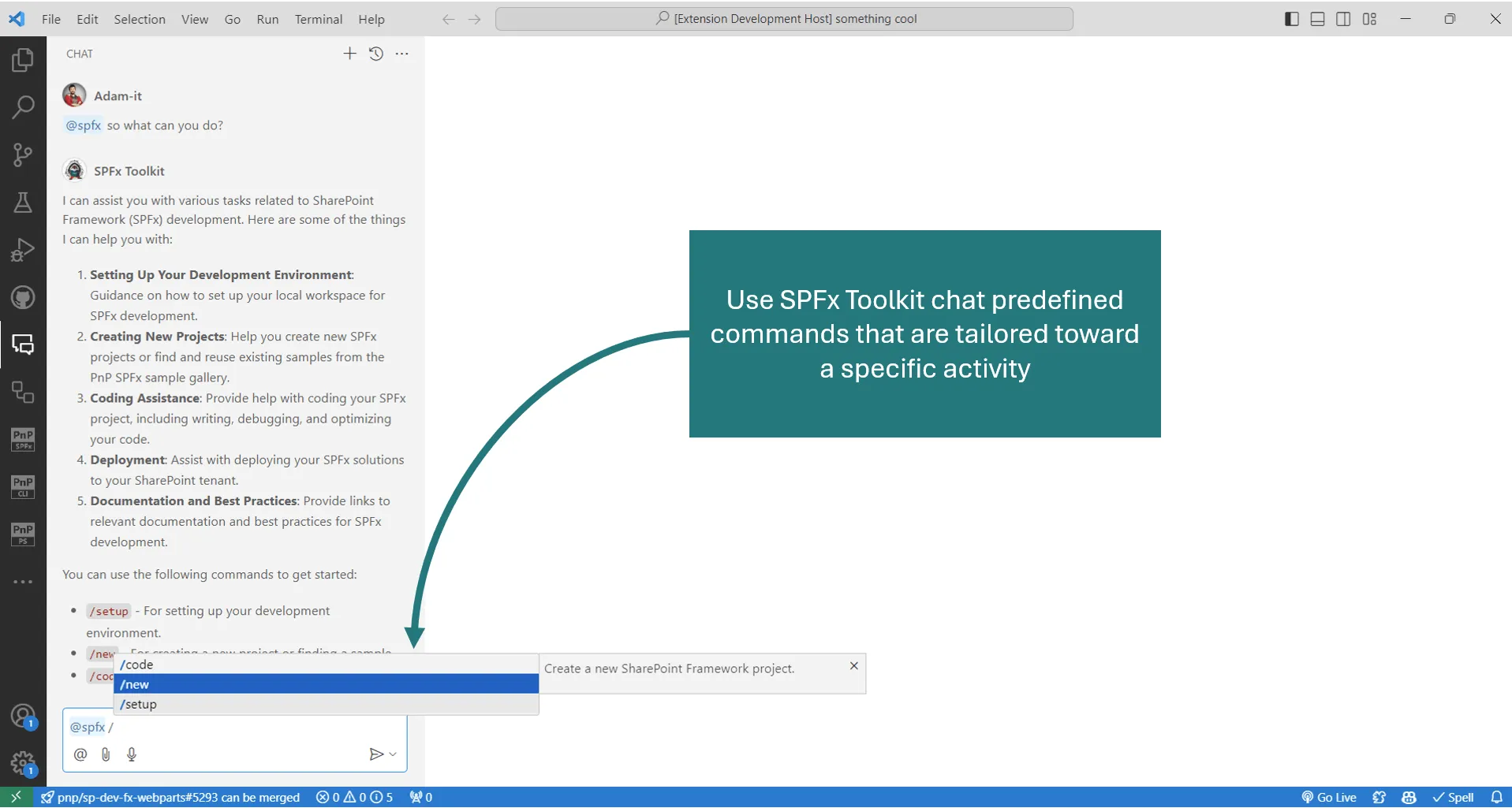
Lets explore the available commands that you may use in the chat participant.


May be used to get guidance on how to create a new solution or find and reuse an existing sample from the PnP SPFx sample gallery Check it out in action 👇
Managing Microsoft 365 tenant using natural language
Section titled “Managing Microsoft 365 tenant using natural language”SPFx Toolkit no longer supports retrieving data from your SharePoint Online tenant by using the /info chat participant command. In order to manage your Microsoft 365 tenant using natural language, we recommend using the CLI for Microsoft 365 MCP server.